AWeber

12 new selling powers for AWeber landing pages

Interactive pages that sell more.

Add 3D products, virtual tours, live charts, payments and more just by describing them. No code. Every demo below is live.

Ask the page builder
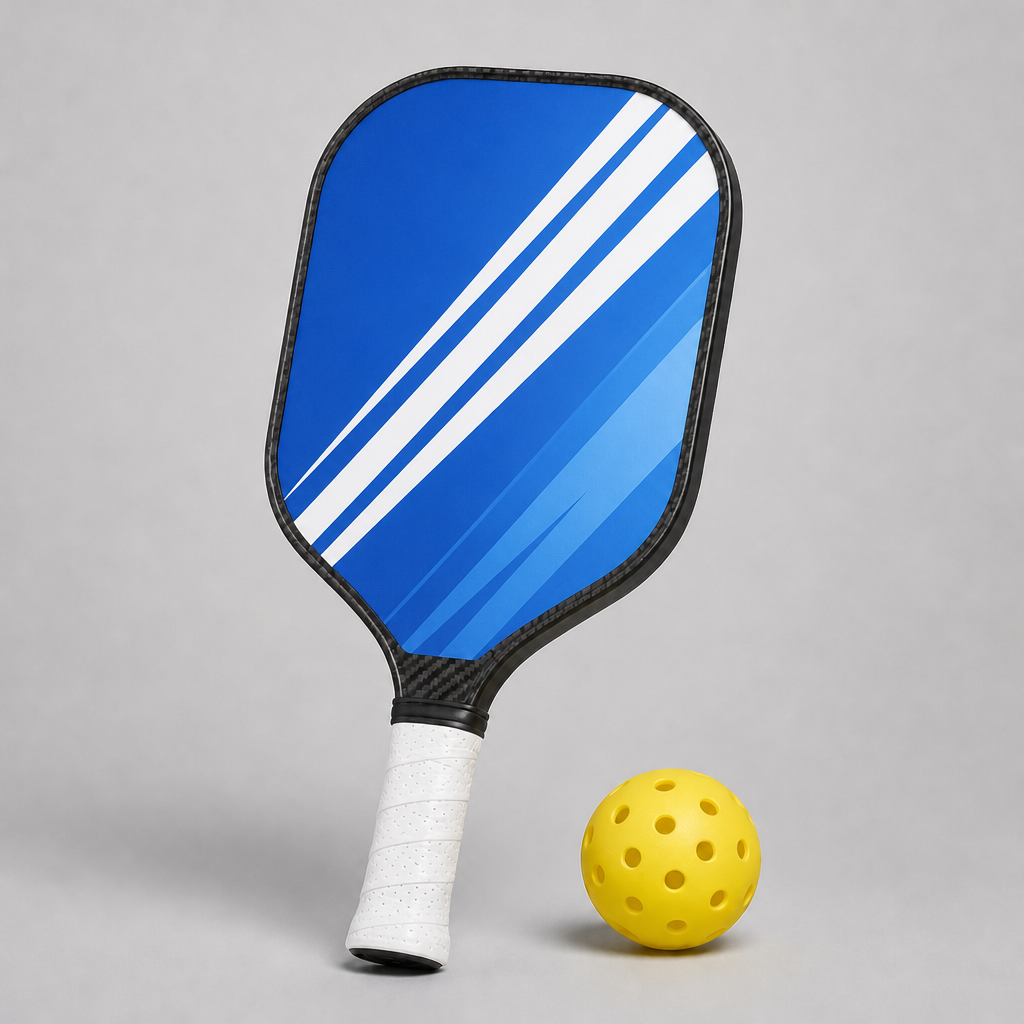
  • Put a rotating 3D pickleball paddle in the hero.
  • Add a bar chart comparing results before and after.
  • Add a monthly / yearly pricing toggle.
  • Add a PayPal button for the $19 workbook.

Depth & motion

Give visitors something they can turn, explore and watch come to life.

013D product

Let visitors pick up your product and spin it.

A 3D model rendered right in your hero. It turns on its own, visitors can drag it, and a flip button shows off both sides.

Try asking

“Put a rotating 3D model of a pickleball paddle in the hero, with a different color and design on each side. Let visitors drag to spin it, flip it, and pick a colorway.”

Live3D model · example hero
↔ Drag to spin
Colorway
02Virtual tour

Walk visitors through your space without them leaving the page.

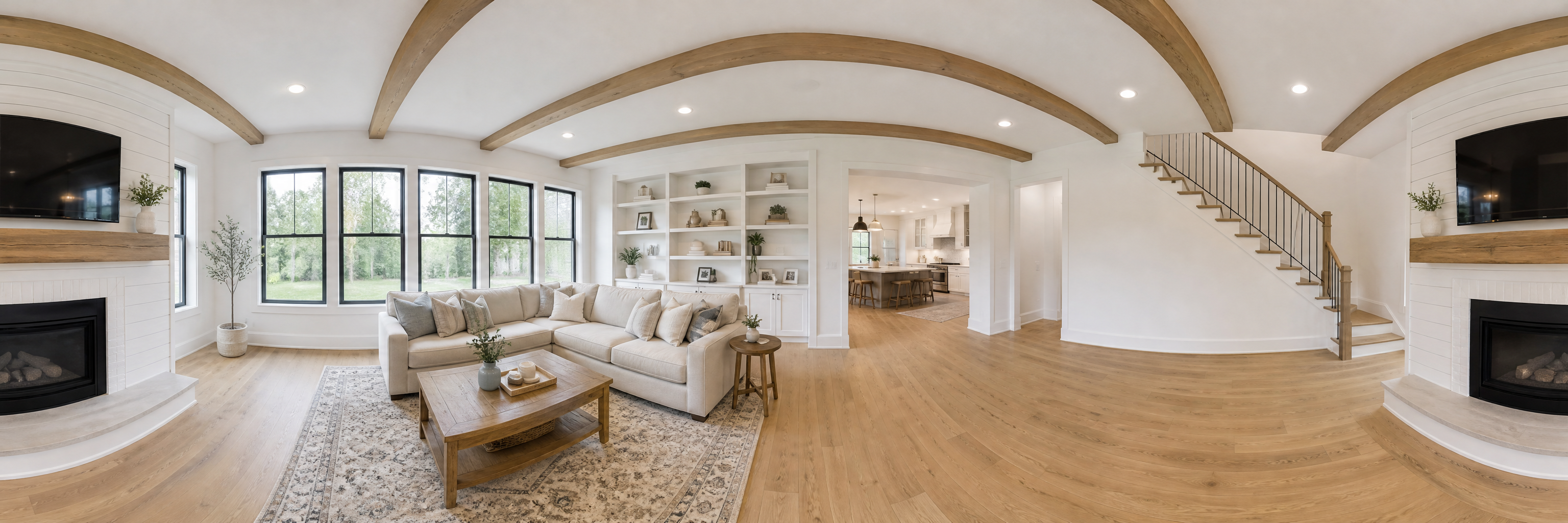
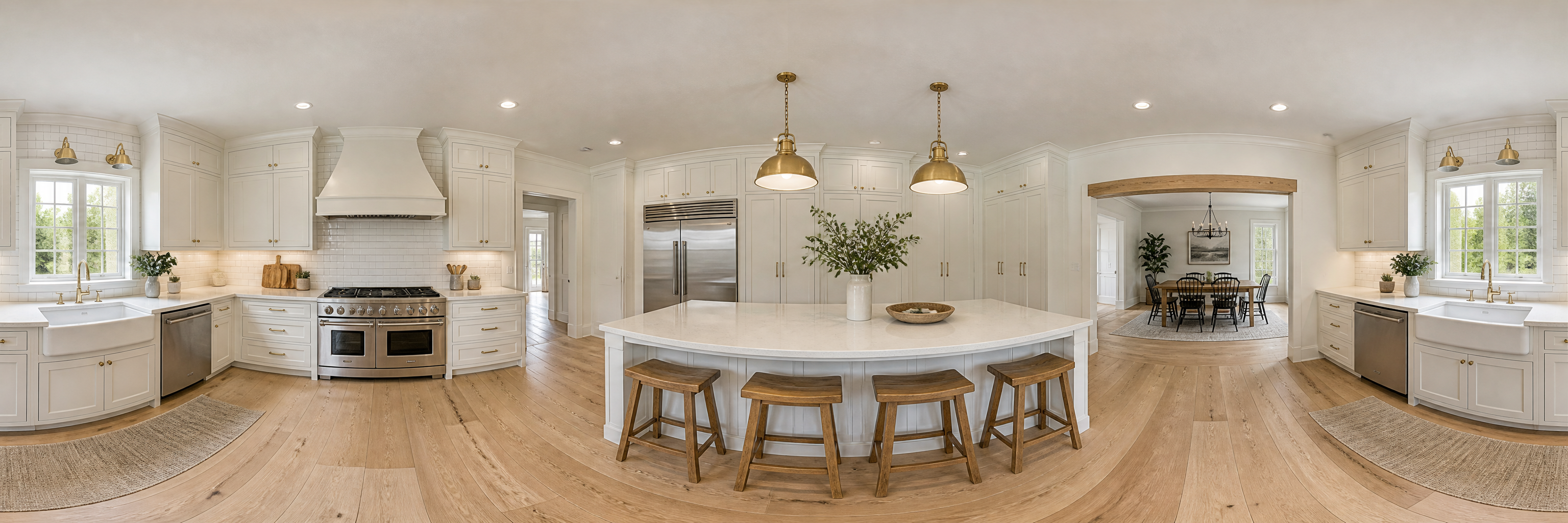
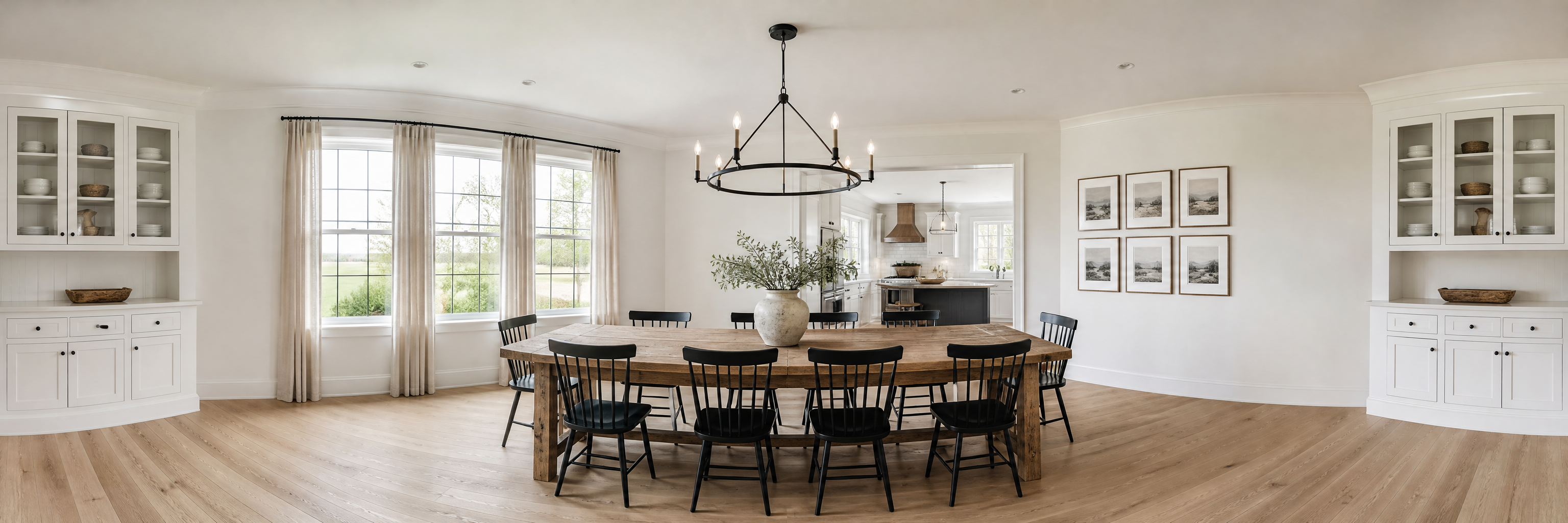
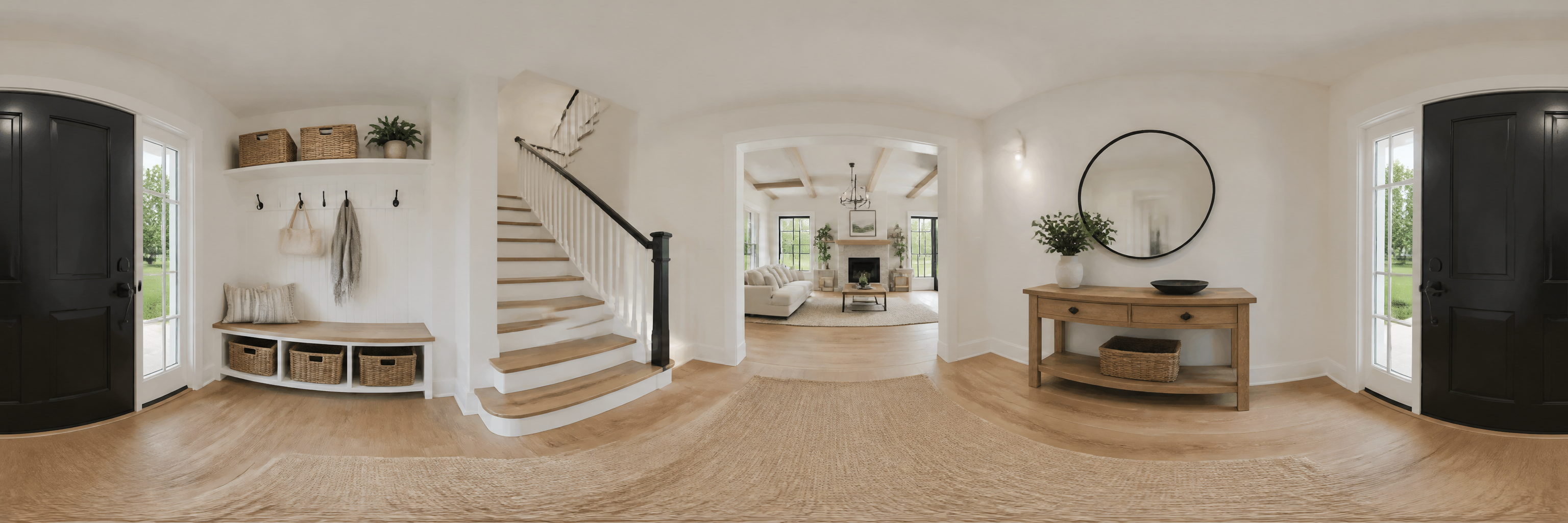
Real photos of each room that visitors drag to look around, then walk from room to room. Great for listings, rentals and venues.

Try asking

“Add a 360° tour of the house using my panorama photos. Let visitors drag to look all the way around each room, with buttons to walk from the living room to the kitchen, dining room and entry.”

Live360° virtual tour · example house
360 degree view of a bright farmhouse living room with a white shiplap fireplace, cream sofa and large windows
360 degree view of a white shaker kitchen with a quartz island, wooden stools and brass pendant lights
360 degree view of a dining room with a long oak table, black chairs and an iron chandelier
360 degree view of a front entry with a black door, staircase and mudroom bench
Living roomFireplace · big bright windows
Room 1 of 4↔ Drag to look around
Go to
03Animations

Make your guarantee land the moment it scrolls into view.

Smooth, lightweight animations: a mascot, a celebration, an animated icon.

Try asking

“Play an animated checkmark when the guarantee section comes into view.”

LiveAnimation · plays on scroll

Our 30-day guarantee

Example guarantee section. The checkmark plays each time it scrolls into view. Scroll away and back, or replay it.

Data & interaction

Show your proof clearly, and let visitors click around to find what they need.

04Charts

Turn your results into a chart people get at a glance.

Bar, line, pie and doughnut charts from numbers you give it. Bars can grow in as visitors scroll, and a click on any bar shows the details.

Try asking

“Add a bar chart comparing results before and after the course. Make the bars grow in one by one when the chart scrolls into view, and let visitors click a bar to see how much that result improved.”

LiveChart · sample data
+39Weekly saleswent from 24% to 63% after the course. Click any bar to compare.
Chart typeClick a bar for details
05Pricing & FAQs

Let visitors toggle, tap and expand without a page reload.

Clickable pricing cards, toggles, tabs and expanding FAQs that respond instantly.

Try asking

“Add Starter, Pro and Team pricing cards visitors can click to select, with a monthly / yearly toggle. Below them, add an FAQ for my service business that expands on click.”

LivePricing · example prices

You picked Pro: $19 a month

Most new clients have their first session within three business days of signing up.
Yes. Upgrade, downgrade or pause any time. Changes start with your next billing cycle.
Reschedule up to 24 hours ahead at no charge. Just reply to your confirmation email.
Yes. Book a free 15-minute call and we’ll recommend the plan that fits.

Icons

Four icon styles to choose from. Pick the one that fits your brand.

06Checklists & social icons

Make every feature list easy to skim.

Thousands of icons that are easy to color, style and animate.

Try asking

“Use check-mark icons for the feature list that pop in one at a time with a little burst when the list scrolls into view. Add colorful brand social icons in the footer.”

LiveChecklist · social icons
  • Drag-and-drop page builder
  • Mobile-friendly by default
  • Works with your email list
  • Publish in one click
Example footer · Follow us
Checks
Social style
07Benefit icons

Give each benefit a clean, consistent visual cue.

A consistent set of simple line icons, dressed up however your brand likes.

Try asking

“Put a clean outline icon next to each benefit, each in its own colorful gradient tile that tilts and glows on hover.”

LiveBenefit icons · hover one
Fast setupLive in an afternoon.
SecureSafe by default.
Saves timeLess busywork.
Reader-lovedBuilt for people.
Grows with youScales as you do.
PolishedLooks great anywhere.
08App icons

Make your app’s landing page look like the app itself.

Icons that look right at home on a phone, perfect for app landing pages.

Try asking

“Add app-style icons to the download section.”

LiveApp icons · example download

Get the app

Example download section. Switch the icon style to match your app.

Icon style
09Plan icons

Help visitors tell your plans apart in a second.

A broad, neutral icon set that fits most designs.

Try asking

“Add icons to the three pricing cards.”

LivePlan icons · pick a plan

Commerce & tracking

Take payment on the page and see which ads bring in sales.

10PayPal payments

Take payment right where buyers decide.

A Buy Now or Subscribe button that takes payment on the page once you connect your PayPal account.

Try asking

“Add a PayPal Buy Now button so visitors can buy my workbook for $19. My PayPal client ID is [paste your client ID].”

LivePayPal · preview button

Example workbook

$19
Powered by PayPal

Preview button. Click it to see how to connect your own PayPal account.

11Shopify store

Sell your Shopify products without sending anyone away.

A product card and cart from your Shopify store, no redirect.

Try asking

“Sell my Shopify product on this page with a Buy Button: product photo, price, color options, quantity and a slide-out cart. My store is [your-store].myshopify.com, my Buy Button access token is [token] and the product ID is [ID].”

LiveShopify · example product
Rally Pro pickleball paddle in Ocean / Sunset with a yellow pickleballSale
Rally Pro Co.

Rally Pro Carbon Paddle

$89.00$119.00
Color
1

Example product. Connect your store to show your real products and Shopify checkout.

12Pinterest tracking

See which pins turn into customers.

Conversion tracking for Pinterest ads, like the Meta pixel does for Facebook.

Try asking

“Add my Pinterest tag so I can track conversions from my pins.”

LivePinterest · event preview

Act like a shopper and see the events the tag reports back to Pinterest.

ready Preview only. No data is sent from this demo.

Try it today in your AWeber account.

Interactive pages are ready to use right now. New to AWeber? Start a 14-day free trial and build your first one today.

Start your free trial →14 days free · Already a customer?

Connect your PayPal to take real payments

This is a preview button, so nothing is charged. To make it work on your own page, connect your PayPal account in four steps:

  1. Log in to the PayPal Developer DashboardGo to developer.paypal.com and sign in with your PayPal Business account.
  2. Create an appOpen Apps & Credentials, switch the toggle to Live, then click Create App.
  3. Copy your Client IDIt’s the long code shown under your app’s name.
  4. Paste it into your promptAsk the AWeber page builder to add the button and include your Client ID. Then publish and make a small test purchase.

Only share your Client ID. Never paste your Secret key into a page or a prompt.